Your books, always done.
OpenBooks connects your banks and Stripe, and an AI bookkeeper running on your own model key keeps a real double-entry ledger — asking you only when it isn't sure.
The software itself is free. Your only costs are your own usage — your AI provider's API charges (typically a few dollars a month) and Plaid if you outgrow its free tier. CSV import is always free.
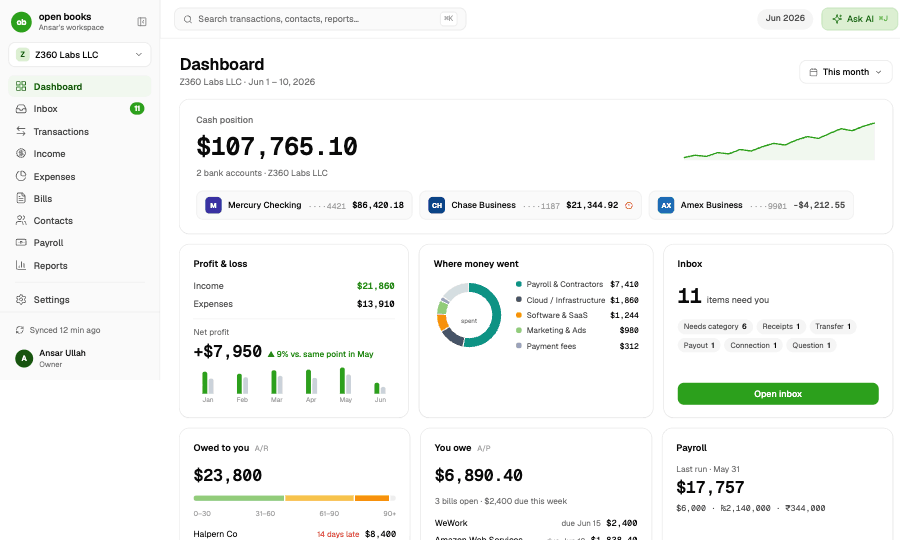
Money moves. The ledger posts. You answer a question now and then.
Banks via Plaid, payments via Stripe, or a plain CSV. Every transaction syncs in on its own — as far back as your bank allows, and you choose your start date.
Rules, memory of your corrections, then your own AI model — cheapest signal first. Confident calls post automatically. Uncertain ones wait in your Inbox.
A true double-entry ledger underneath means the Profit & Loss, Balance Sheet and Cash Flow are correct — the kind your CPA accepts.
Five minutes, not five hours.
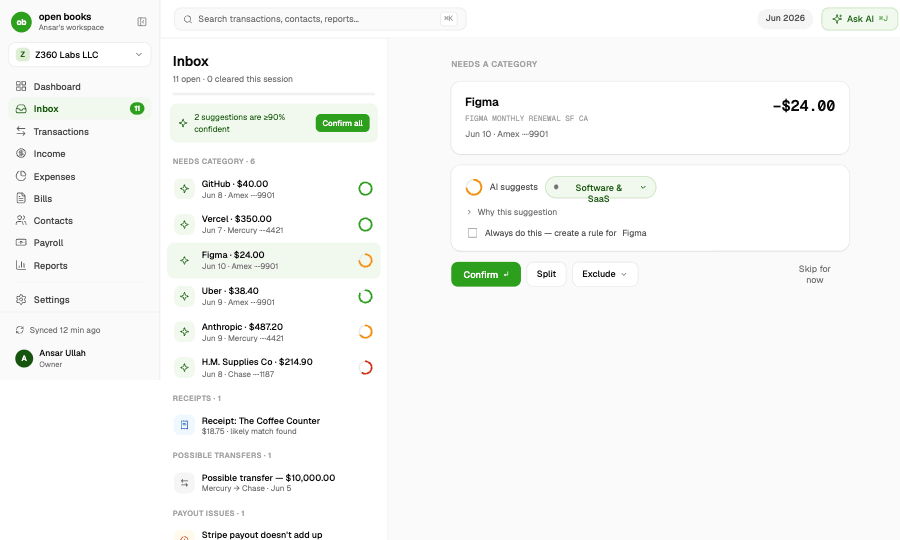
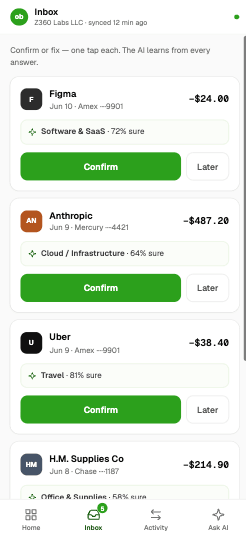
The only mandatory workflow in OpenBooks. The AI posts everything it's sure about; the handful of calls it won't make alone queue here — categories, receipt matches, transfers, payout mismatches, even its own questions.
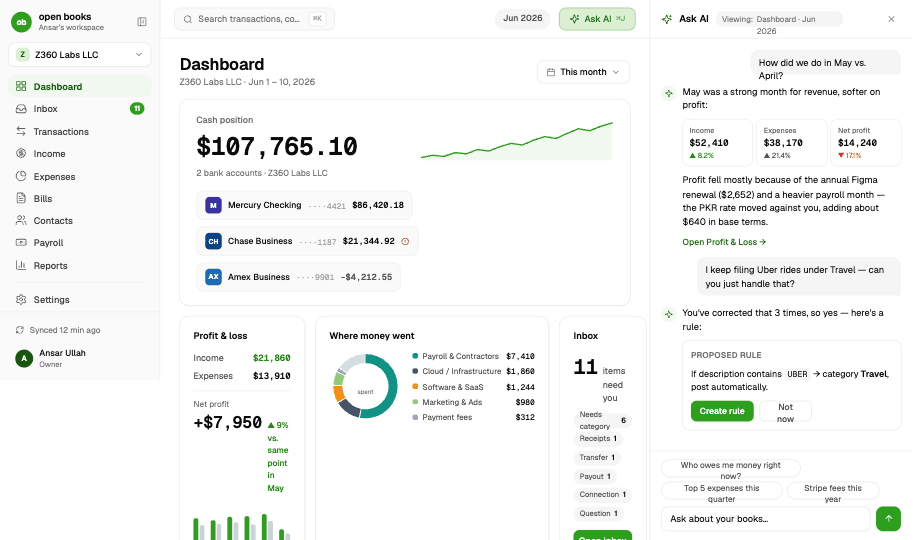
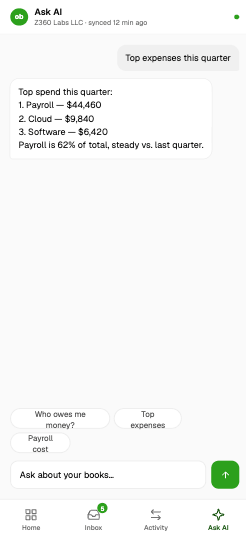
Ask your books anything.
A side panel that lives next to every screen. Answers come straight from the ledger — and when the AI wants to act, it proposes first and posts only after you say yes.
Every screen money touches.
Two transaction concepts instead of five. About 30 categories instead of 154. No payments upsell anywhere.
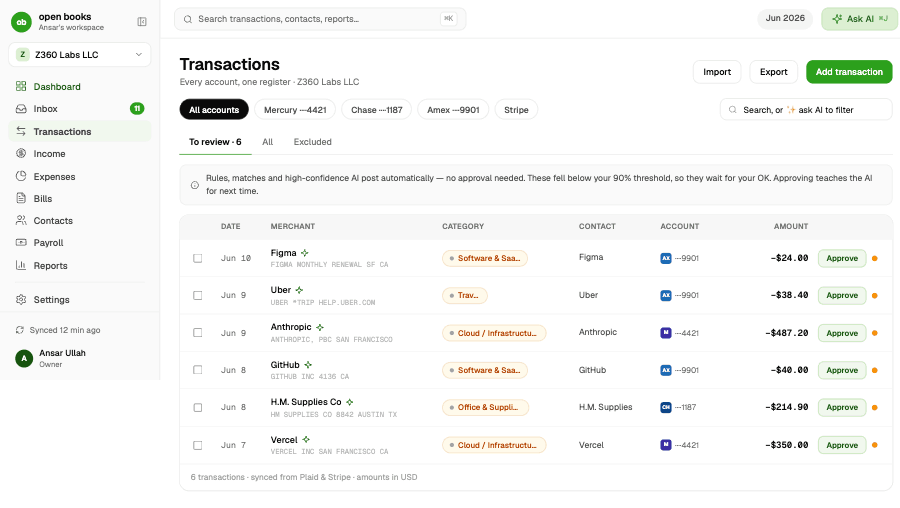
Transactions. Every account in one register. Rules, matches and high-confidence AI post automatically; the rest wait for one-click approval — with the AI's confidence shown on every line.
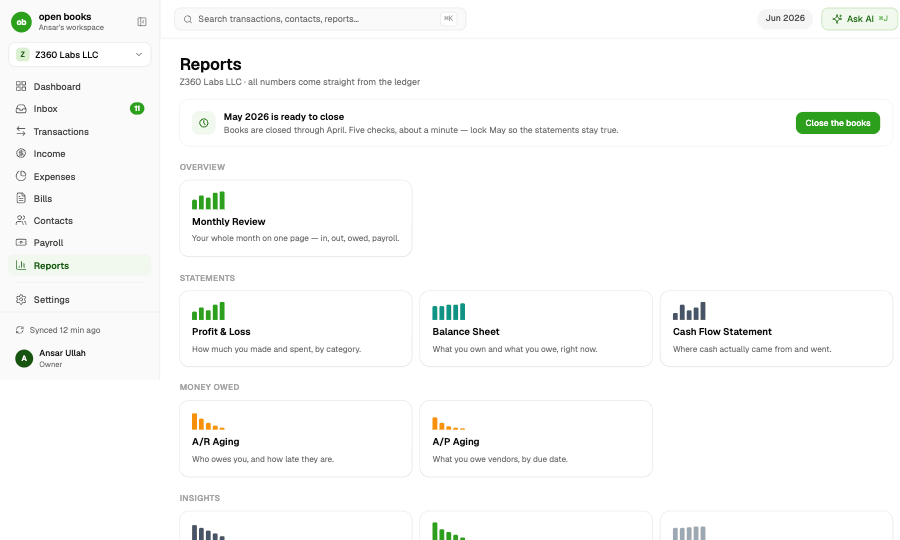
Statements your CPA accepts.
Every number comes straight from the ledger. Any date range, cash or accrual, with a month-end close that locks the books.
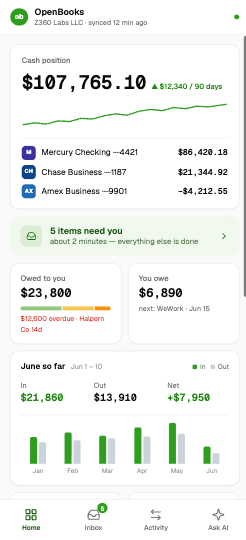
The whole business, in your pocket.
Every metric from the desktop dashboard lives on the mobile home — cash with trend, in/out by month, aging, cushion, top expenses and what's coming up. Clear your inbox from the couch; the AI does the filing.
The ledger makes harder things possible.
Because every number is a balanced journal entry, these aren't guesses — they're arithmetic. On the roadmap, shaped by GitHub votes.
A look ahead built from your recurring bills, payroll dates and invoice due dates — so you see the dip before it happens.
An estimated-tax line computed from real profit, with a suggested amount to move to savings each month. No April surprises.
Duplicate charges, silent price hikes, a vendor billing twice in a month — flagged in your Inbox before they compound.
A read-only login for your CPA plus a year-end pack — statements, general ledger and journal — exported in one click.
Polite, automatic reminders for overdue invoices — drafted by the AI, sent only with your approval, escalating on your schedule.
Run several businesses from one login today; consolidated statements with inter-company eliminations are next.
Because you bring the keys, there's nothing to charge you for.
Intelligence costs API pennies when it runs on your model key — Anthropic, OpenAI, Google or local Ollama. No $500/month bookkeeping service in the middle.
Clone the repo, run two commands, and point it at your own free Convex deployment — the front end runs locally or on Vercel. No vendor can shut it down and take your records with it, and full CSV/JSON export is always one click away.
MIT is permissive: the ledger engine is public, auditable, and free to use anywhere — fork it, self-host it, even build it into your own products. No ads, no upsells, no payments funnel disguised as bookkeeping software.
Nobody else combines all five.
A real ledger, bank sync, an AI inbox, open source, and self-hosting — pick any four elsewhere.
Honest answers
Connect your accounts. Answer a few questions a week.
Your books are always done — and they're yours.